 RuckDay
The rucking app for iPhone and Apple WatchEvery day is RuckDay.
Track distance, pace and pack weight, with calorie estimates that account for the load on your back and the hills you climb, and a DaysWork for every ruck.
We'll email you when the beta opens and at launch. Nothing else.
Pack weight first
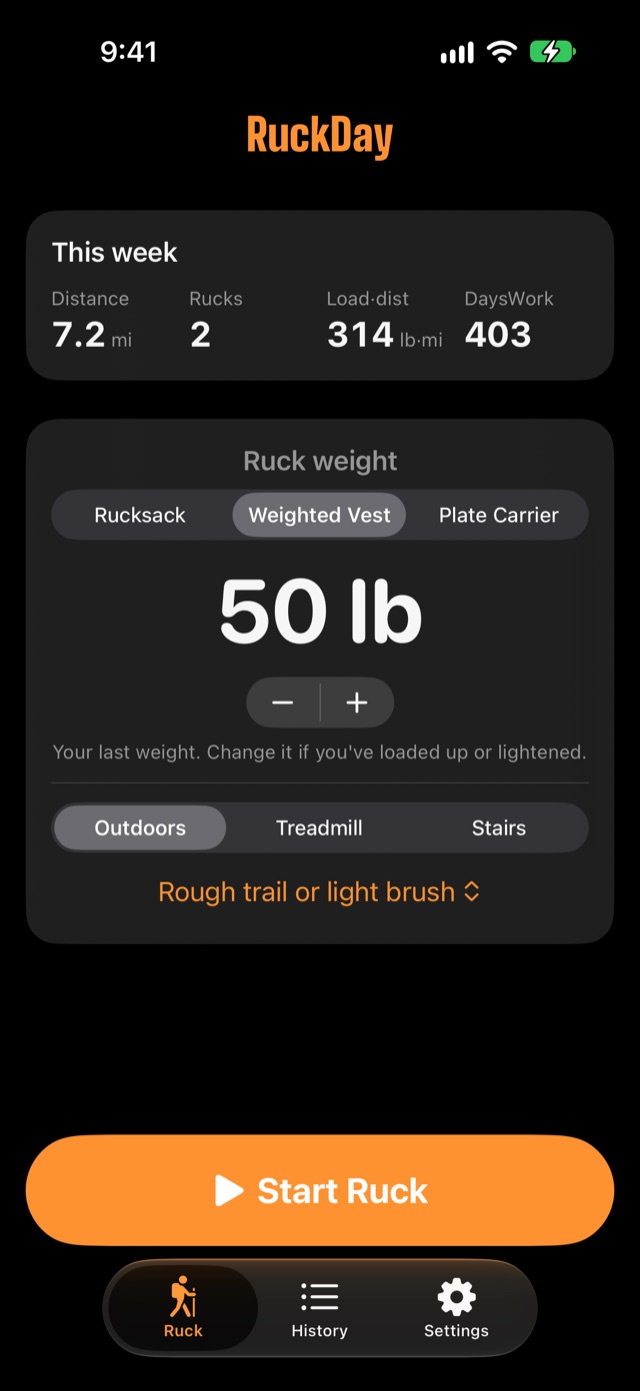
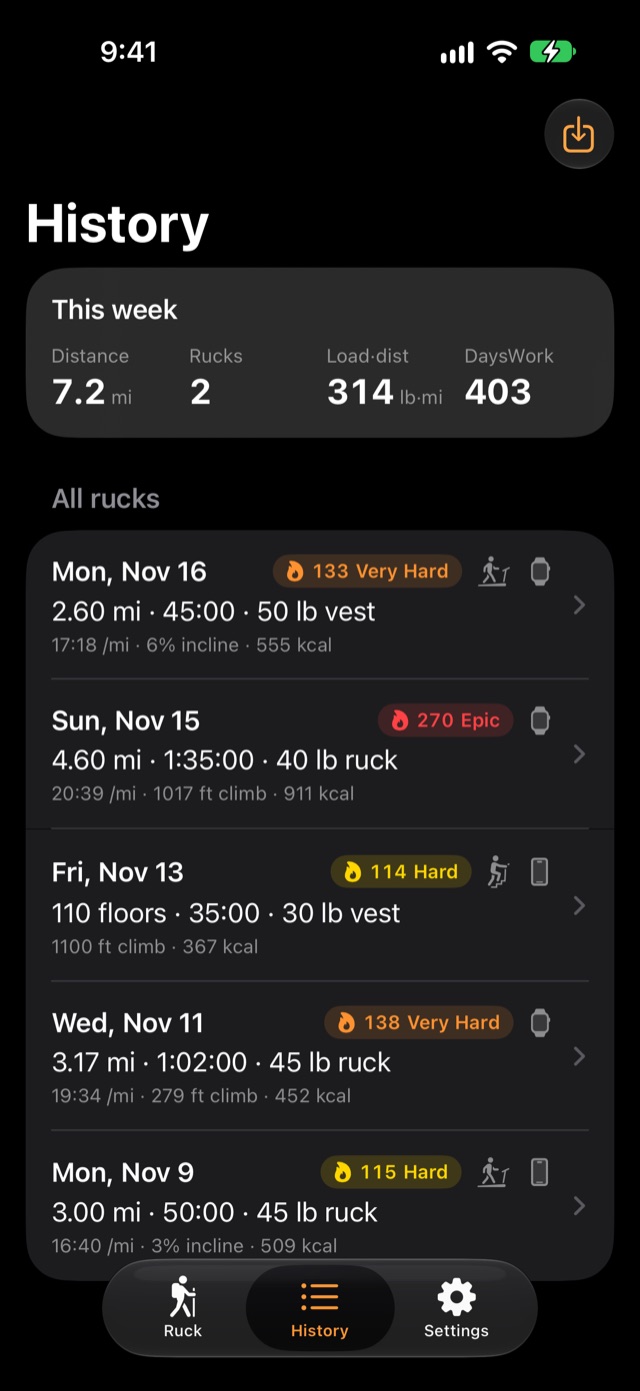
Set your load before you go. Every ruck records weight, distance and load × distance, so you can see the total load you've carried over time.
Hills and stairs count
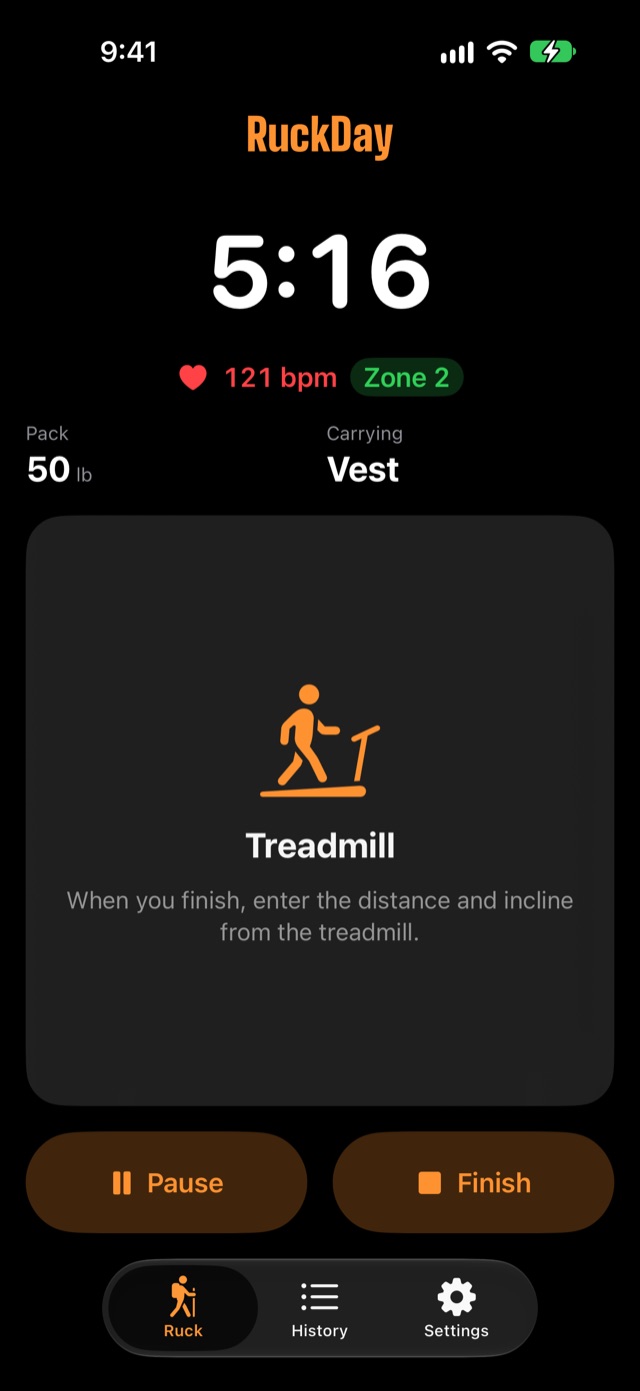
Calorie estimates use the Pandolf load-carriage equation, which accounts for your pack weight, the climb and the terrain. Rucking on a treadmill or stair climber counts too: enter the machine's distance and incline, or floors.
Apple Watch, standalone
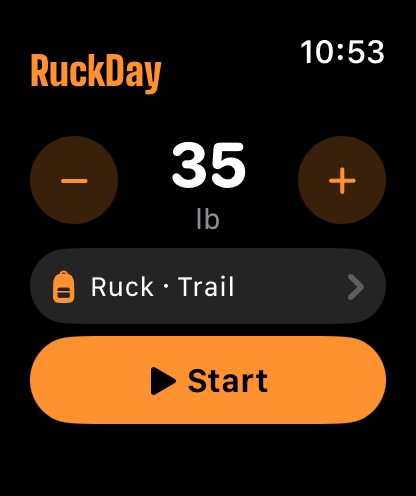
Leave your phone at home. The watch records heart rate and distance, saves the ruck to Apple Health and syncs it to your iPhone.
Private by default
Your rucks stay on your devices and in Apple Health. No account, no tracking.
See it in action
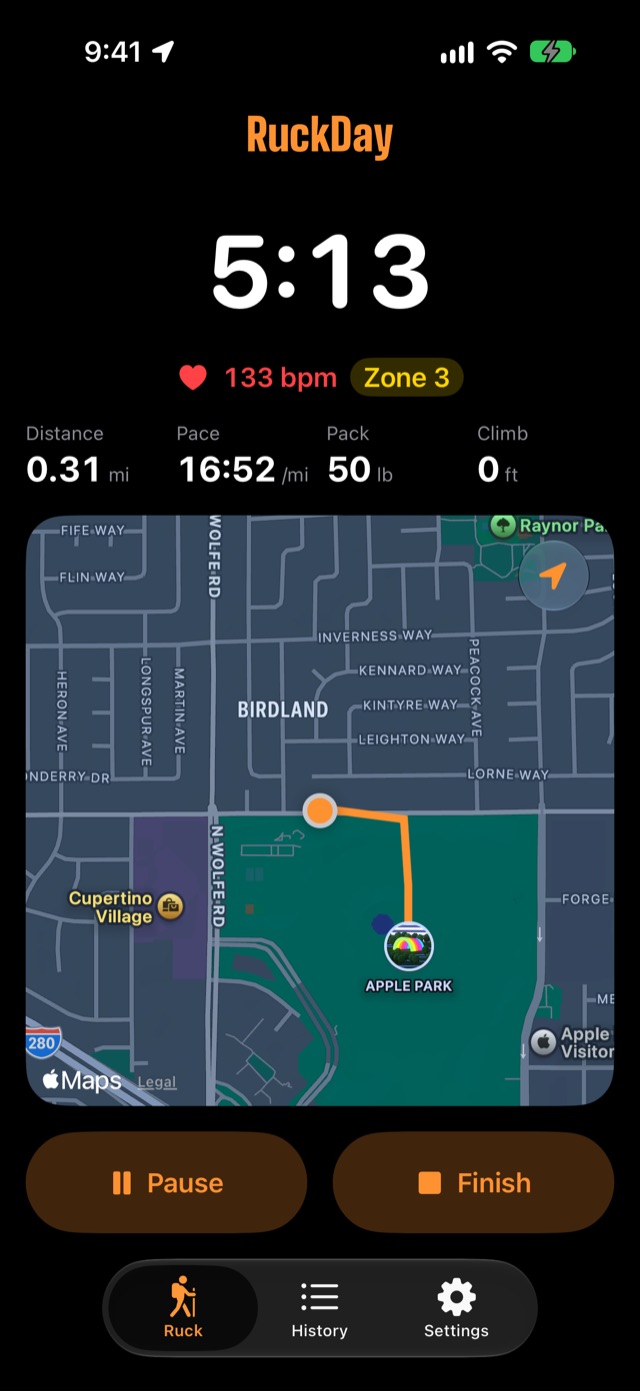
Previews from the app in development. Final details may change.
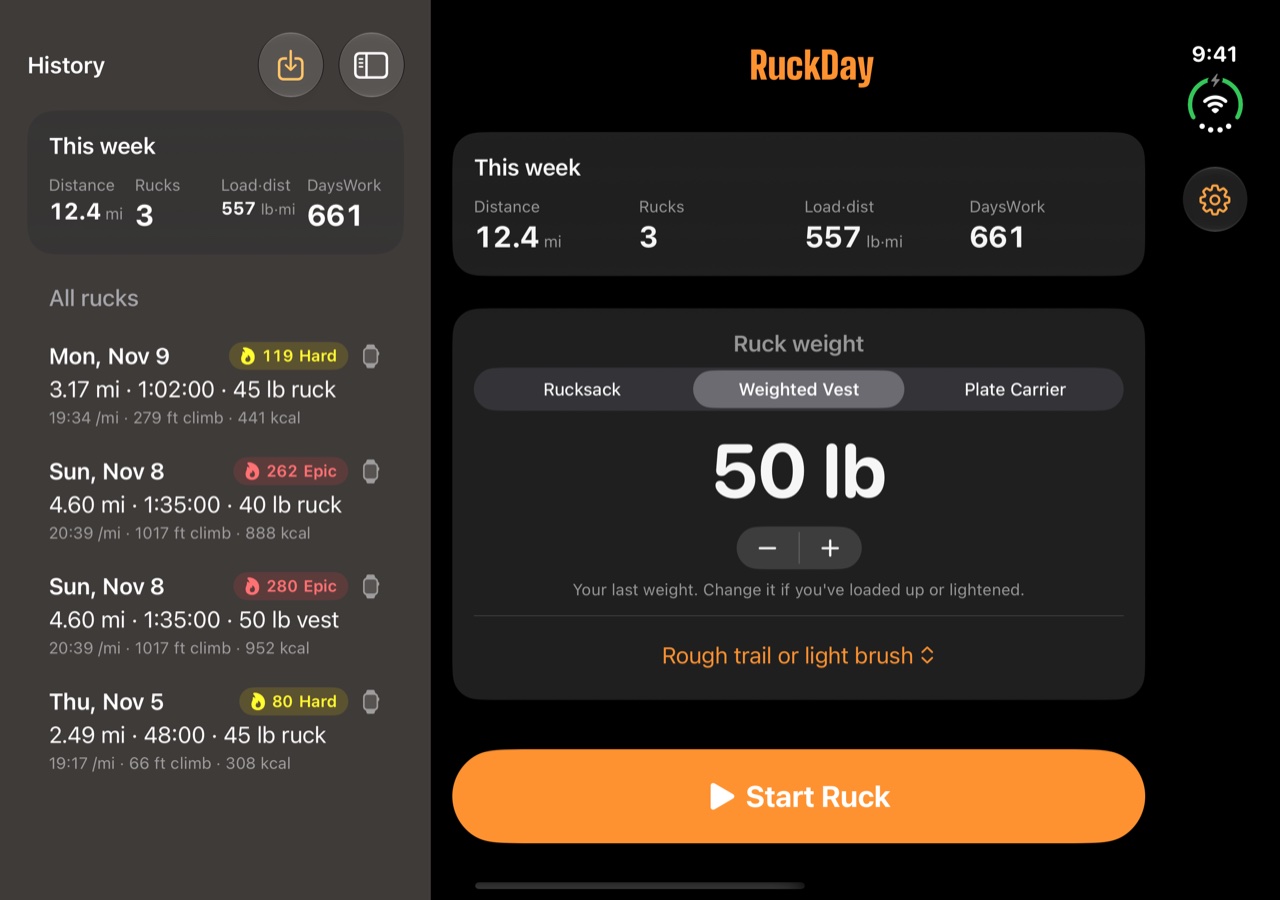
DaysWork: how hard was that ruck?
An easy 30 lb mile and a 50 lb stair climb aren't the same workout. DaysWork turns each ruck into one score, so you can compare them and see your training load week to week.
With heart rate
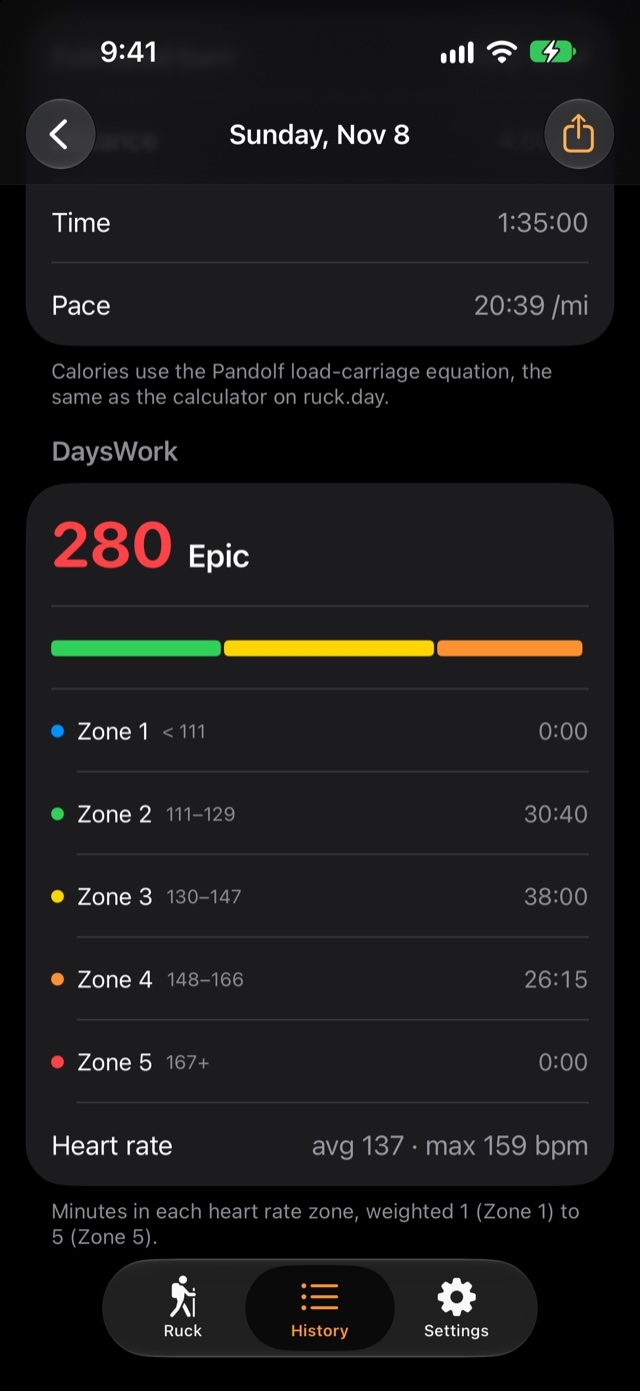
Minutes in each heart rate zone, multiplied by the zone number. Heart rate comes from your Apple Watch or a Bluetooth chest strap, and zones can be based on max heart rate or lactate threshold.
Without heart rate
RuckDay estimates the score from the same model as its calorie count: your pack weight, pace, climb and terrain. Every ruck gets a score, even ones you import from Apple Health.
For example
- 20 minutes in Zone 240 Moderate
- 20 minutes in Zones 4–590 Hard
- 90 minutes, heavy pack, steady climb280 Epic
Widgets that keep you honest
Set a weekly goal for distance, time or average DaysWork. The This Week widget shows how close you are, wherever you look.
Launching on iPhone, iPhone Duo and Apple Watch
One rucking app, wherever you carry it. Android is next.
iPhone and iPhone Duo
Built for iPhone Duo from day one. Fold or unfold mid-ruck and tracking carries on.
Apple Watch
A full standalone app. Start a ruck from your wrist, see your heart rate zone live, and it saves to Apple Health and syncs to your iPhone.
Android
RuckDay for Android phones and foldables is in the works and coming in the near future. Sign up and we'll tell you when it's ready.
Rucking calculators and charts
See how pack weight, hills, stairs and terrain change what a ruck costs you.
Ruck calorie calculator
Calories for a ruck from your body weight, pack weight, distance, time, climb and terrain.
Rucking pace chart
Finish times for common ruck distances at every pace from 12:00 to 20:00 per mile.
How much weight to ruck
A starting pack weight from your body weight, and how to add to it.
Army 12-mile ruck standard
12 miles in 3 hours with 35 lb: the pace, the mile splits and what it burns.
Weighted vest calorie calculator
How many more calories you burn walking in a weighted vest.
Rucking app FAQ
What is rucking?
Rucking is walking or hiking with weight on your back, in a rucksack, a weighted vest or a plate carrier. It builds strength and endurance with less impact than running.
Why use a rucking app instead of a walking app?
A walking app doesn't know how much your pack weighs, so it undercounts the work. RuckDay records pack weight on every ruck, estimates calories with the Pandolf load-carriage equation (which accounts for the load, the climb and the terrain), and tracks load × distance and DaysWork over time.
What is DaysWork?
DaysWork is a single score for how hard a ruck was on your body. With heart rate, it's the minutes you spent in each zone multiplied by the zone number. Without heart rate, RuckDay estimates it from your pack weight, pace, climb and terrain. Scores run from Easy (under 30) to Epic (220 and up).
Can I ruck on a treadmill or stair climber?
Yes. Pick Treadmill or Stairs before you start. There's no GPS indoors, so when you finish you enter the distance and incline from the treadmill, or the floors from the stair climber. Calories account for the incline or the climb as well as your pack, and DaysWork uses your heart rate as usual. The ruck saves to Apple Health as an indoor walk or a stair-climbing workout.
Does RuckDay work on iPhone Duo?
Yes, from launch. You can fold or unfold your iPhone Duo mid-ruck without interrupting tracking.
Is RuckDay available on Android?
Not at launch, but it's coming in the near future, for Android phones and foldables. Sign up at ruck.day and we'll email you when it's ready.
Do I need an Apple Watch?
No. Your iPhone tracks GPS on its own and can connect to a Bluetooth heart rate strap. With an Apple Watch, you can leave the phone at home: the watch records heart rate and distance and syncs the ruck to your iPhone.
Which widgets does RuckDay have?
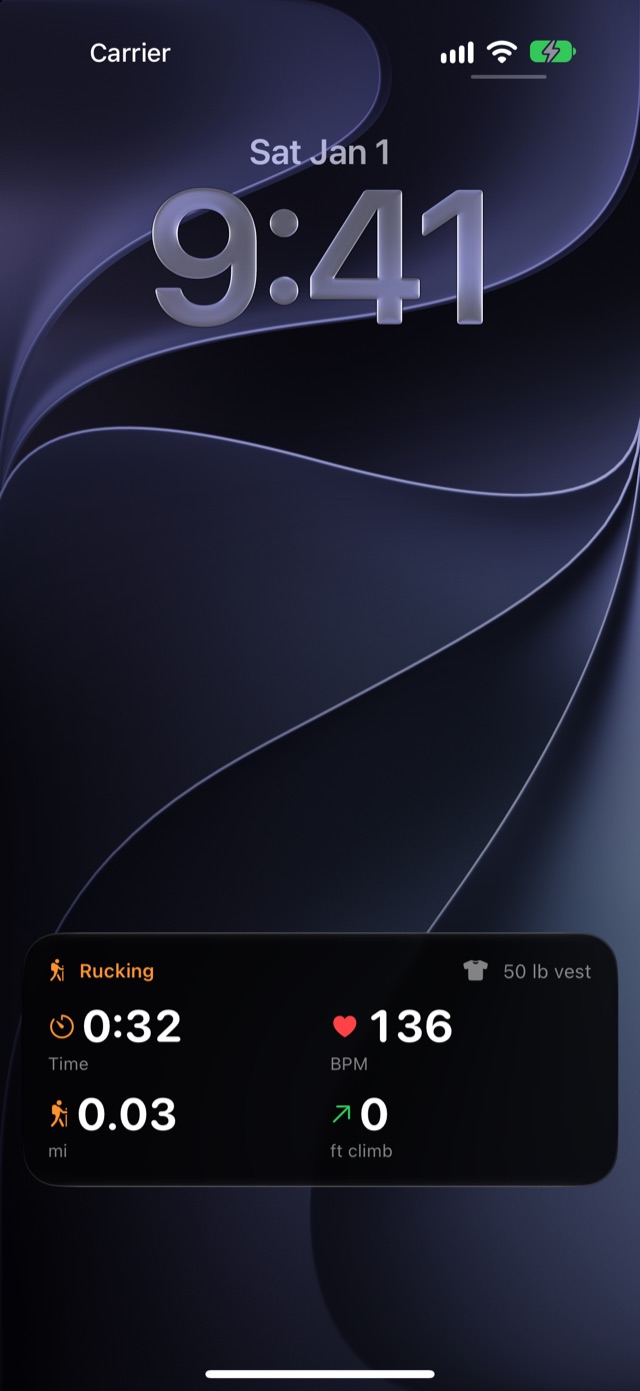
The This Week widget shows your distance, time and average DaysWork for the week and progress toward a weekly goal. It comes in small and medium sizes for the Home Screen, and circular and rectangular for the Lock Screen. During a ruck, a Live Activity shows time, heart rate, distance and climb on the Lock Screen, in the Dynamic Island and in the Apple Watch Smart Stack.
Be first to ruck with RuckDay
Coming soon for iPhone, iPhone Duo and Apple Watch, with Android to follow.